Welcome to PtView Workstation
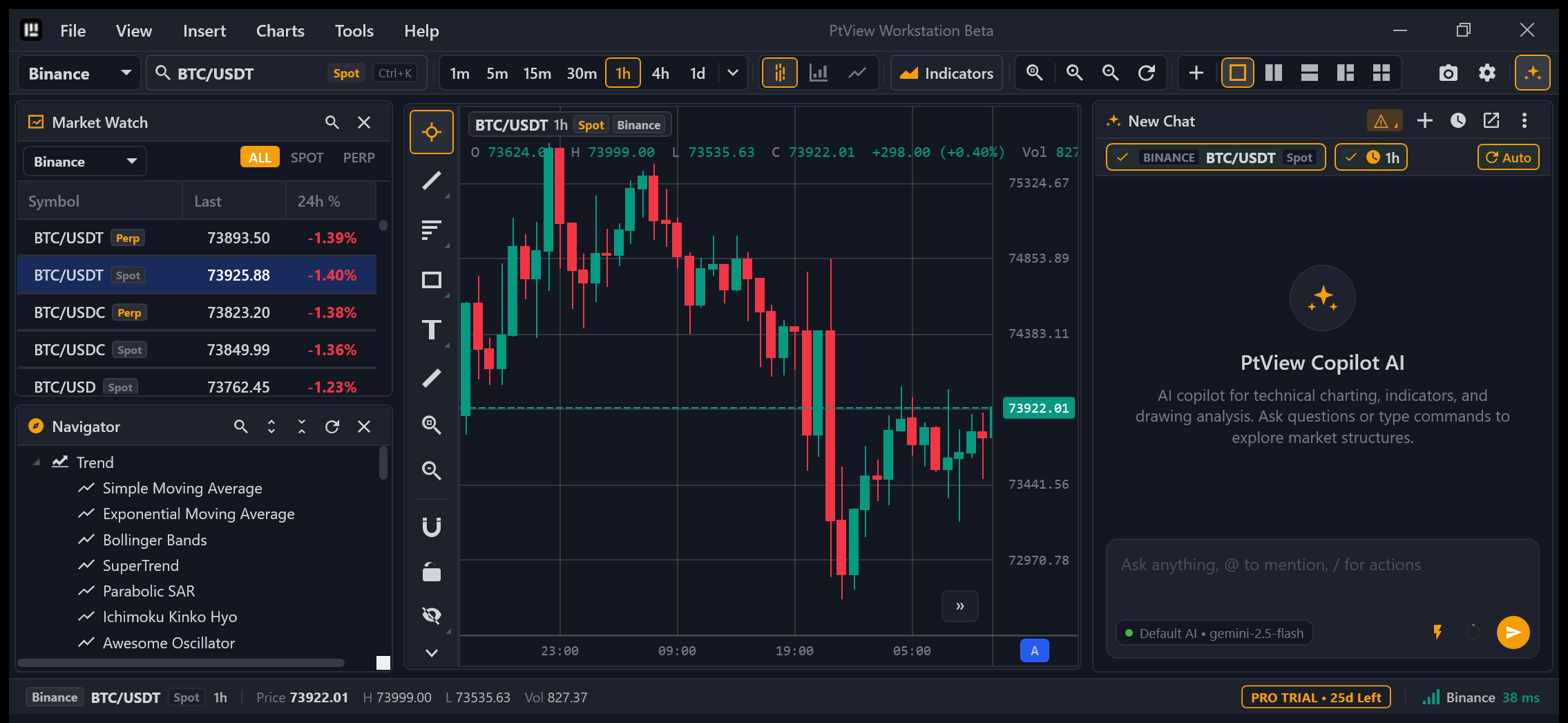
PTView is a fast, modern Windows desktop crypto charting workstation built for traders who want native desktop speed, multi-exchange market coverage, and built-in AI chart analysis — without browser lag or monthly chart limits.
New to PTView?
Jump straight to the 5-Minute Quick Start Guide to install PTView, open your first live chart, add indicators, and connect AI Copilot in just a few clicks.
What You Can Do with PTView
1. Smooth 60 FPS Native Charts (Zero Browser Lag)
- Built as a native Windows desktop application (
.NET 10WPF) — no embedded browser tabs, no heavy memory bloat. - Open up to 4 synchronized charts in a single grid (
1,2 Split,3 Charts, or2×2), scroll through thousands of candles smoothly, and snap a branded 4K screenshot with Ctrl + Shift + S.
2. Live Market Data Across 29 Crypto Exchanges
- Stream real-time candlesticks, tickers, and order books across 29 supported exchanges (
OKX,Binance,Bybit,Bitget,Gate.io,KuCoin,MEXC,Kraken,Coinbase,HyperLiquid, and 19 more). - No exchange API key required to watch charts or analyze markets.
3. Built-In AI Copilot & Automated Monitoring (/schedule)
- Open AI Copilot (Ctrl + T) and ask questions in plain language or attach indicators and drawings automatically.
- Use
/scheduleto run recurring market checks in the background and receive Telegram alerts when conditions trigger. - Connect external AI tools (VS Code Copilot, Cursor, Claude Desktop, Antigravity) over the built-in MCP Server (
71 tools).
4. Custom Indicators via PTView.SDK
- Comes with 40+ built-in indicators (EMA, SMA, SuperTrend, Bollinger Bands, Ichimoku Cloud, RSI, MACD, VWAP, and more).
- Developers can write custom C# indicators using the zero-dependency
PTView.SDKrunning safely out-of-process.
How PTView Fits Together
Choose Your Path
| I want to... | Start Here |
|---|---|
| Install & start charting in 5 minutes | 5-Minute Quick Start |
| Compare Community (Free) vs. Pro (28-Day Trial) | Editions & Release Channels |
| Master layout, Market Watch, Navigator & Zoom | Workstation UI Guide |
| Set up Gemini / OpenAI / Ollama API keys | AI API Keys & Accounts Setup |
| Create & connect a Telegram alert bot | Telegram Bot Alerts Setup |
Use AI Copilot chat & /schedule | AI Copilot & Chat Commands |
| Fix network/proxy issues or export logs | Troubleshooting & FAQ |
| Build custom C# indicators | PTView.SDK Getting Started |