Exchanges & Market Data
PTView connects directly to 29 cryptocurrency exchanges via CryptoClients.Net to stream real-time candlesticks, 24h tickers, and order book depth — no exchange API keys required for market data.
Supported Exchanges (29 Venues)
OKX, Binance, and Bybit are enabled by default on first launch. You can enable or disable any of the 29 registered exchanges anytime in Setup Wizard or Settings → Exchanges:
| Market Coverage | Supported Exchanges |
|---|---|
| Spot + Perpetual + Delivery | OKX, Binance, Bybit, Bitget, KuCoin, Kraken, HTX, Coinbase, CryptoCom, XT |
| Spot + Perpetual | GateIo, Mexc, HyperLiquid, BingX, Bitfinex, Aster, Bitunix, DeepCoin, WhiteBit, Bitstamp, CoinW, Toobit, Weex |
| Perpetual-Only | BloFin |
| Spot-Only | Lighter, LBank, Pionex, Tapbit, Upbit |
How PTView Streams Data (Shared Multiplexer)
Instead of opening separate WebSocket connections for every chart window, PTView shares a single multiplexed stream per exchange across all charts and Market Watch:
- Zero Duplicate Bandwidth: Opening 4 charts of the same symbol uses the exact same network bandwidth as opening 1 chart.
- Automatic Gap Recovery: If your Wi-Fi or VPN drops briefly, PTView automatically detects missing candles and backfills them via REST when reconnected.
Using Market Watch & Quick Symbol Search
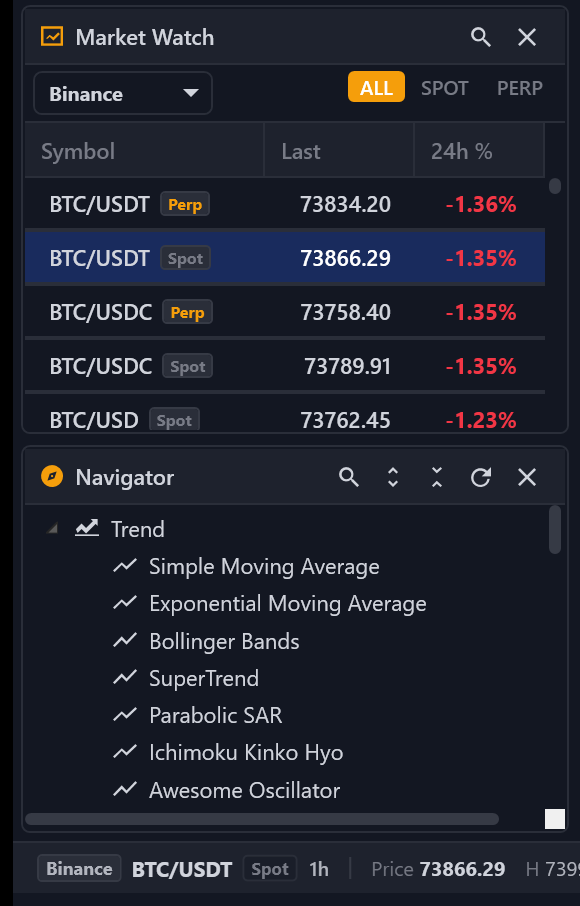
- Toggle Market Watch (Ctrl + M): Filter by exchange, market type (ALL, SPOT, PERP, INVERSE), or click the search icon to filter pairs live.
- Right-Click Actions: Open any pair in the active chart or in a new chart tab, copy ticker symbol, or customize visible columns (
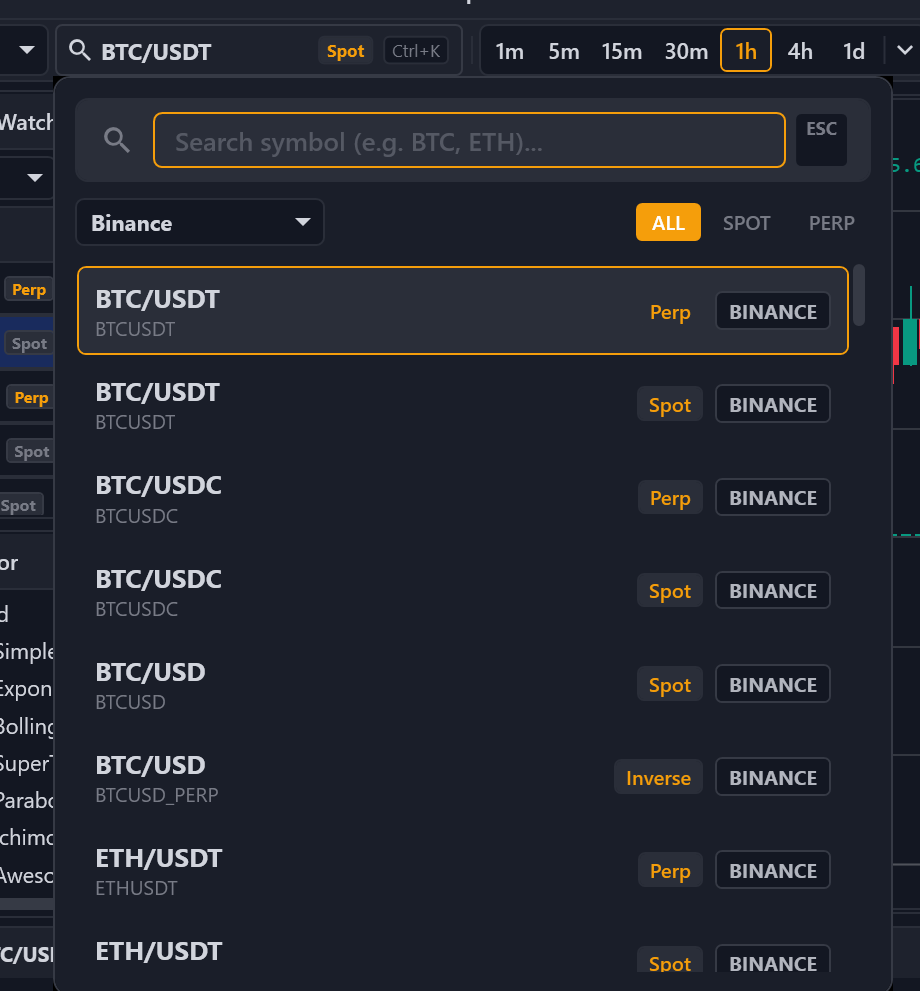
Last,24h %,24h High,24h Low,24h Vol,Exchange). - Quick Symbol Search (Ctrl + K): Jump to any pair across all enabled exchanges without leaving the chart.
Optional: Exchange API Keys & Network Proxy
- Open Settings (Ctrl + P) → Exchanges.
- Toggle which exchanges appear in Market Watch and Quick Search.
- If your network blocks certain exchanges, scroll to Network Proxy, enable HTTP / SOCKS5 Proxy, enter Host & Port, and click Save (applies immediately without restart).
No API Key Needed for Charts
Viewing live candlesticks, order books, funding rates, and open interest works without any exchange API keys. Only add read-only exchange API keys if you plan to inspect private account balances.