Creating & Connecting a Telegram Bot
Connect your own Telegram bot to PTView in 2 minutes to receive AI Copilot market summaries, /schedule monitoring alerts, and price notifications straight on your phone or Telegram group.
Step 1: Create a Bot via @BotFather on Telegram
- Open Telegram (Desktop or Mobile) and search for
@BotFather(look for the official blue verified checkmark). - Tap Start and send the command:
/newbot
- Enter a display name for your bot (e.g.,
PTView Trade Alerts). - Enter a unique username ending in
bot(e.g.,my_ptview_alerts_bot). @BotFatherreplies with your HTTP API Token looking like:Copy this token carefully.1234567890:AAHxxxxxxxxxxxxxxxxxxxxxxxxxxxxxxx
Step 2: Activate Your Bot Chat (Crucial!)
Why
/start Is RequiredTelegram blocks any new bot from messaging you until you start the conversation first.
- For personal alerts (DM): Click the
t.me/<your_bot_username>link in@BotFather's message and tap Start (or send/start). - For Telegram Group alerts: Add your new bot to the target group and send any message (e.g.,
/startorhello) inside that group.
Step 3: Add the Bot in PTView (Settings → Notifications)
- Open Settings (Ctrl + P) and select Notifications in the left sidebar.
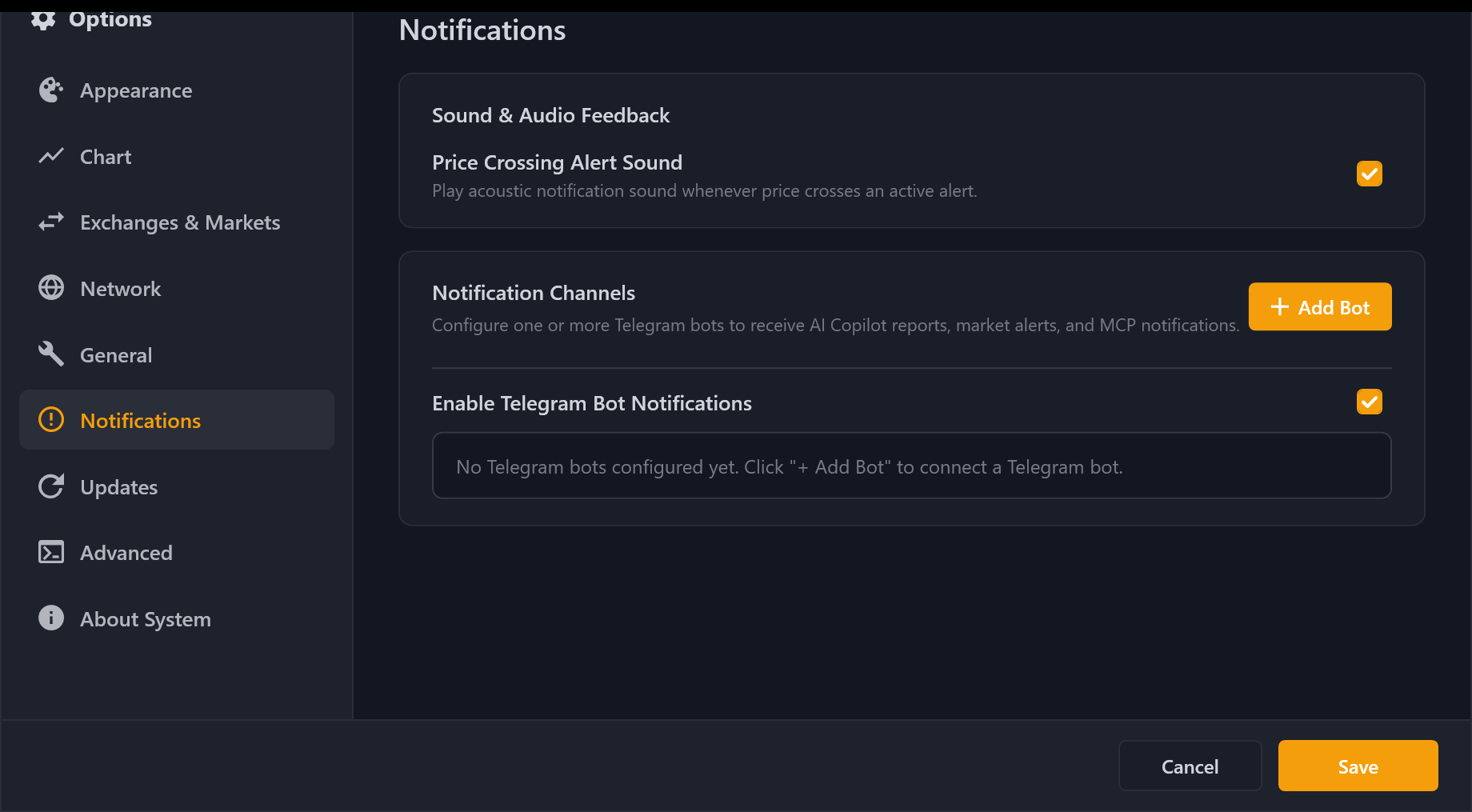
- Click + Add Bot to open the Add Telegram Bot dialog.
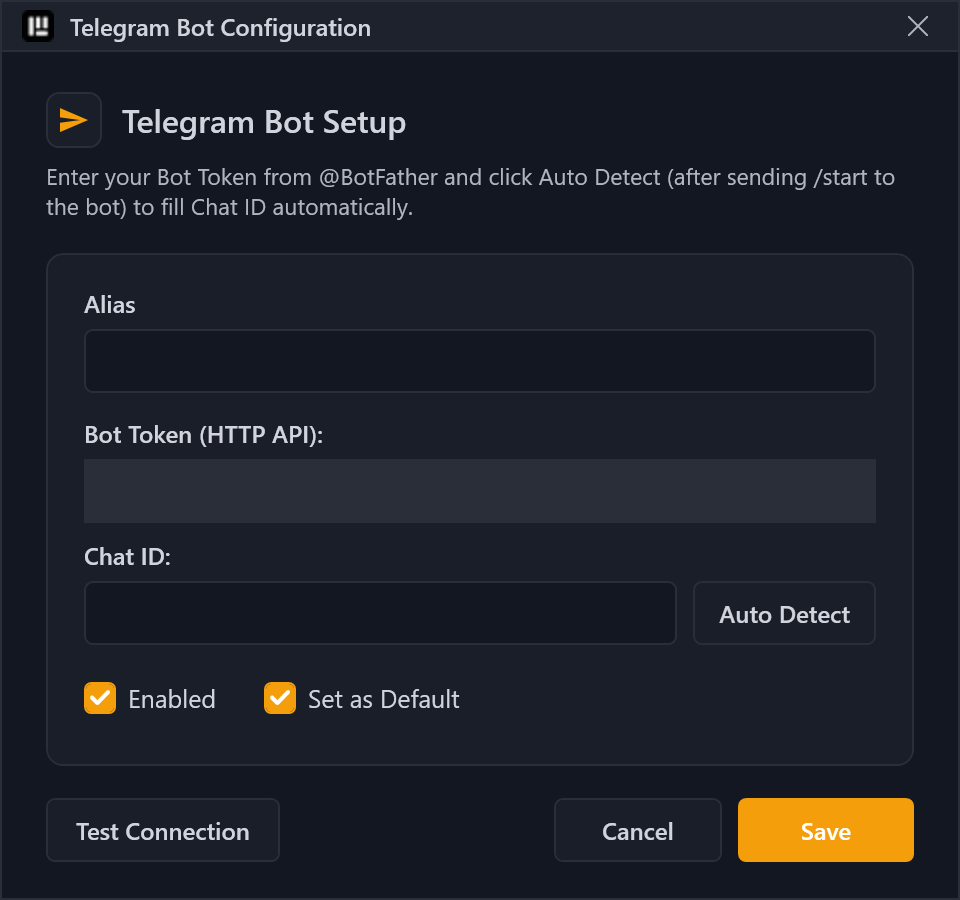
- Paste your Bot Token into the Bot Token field.
- Click Auto Detect next to Chat ID:
- PTView queries Telegram's latest update, automatically fills the Alias and Chat ID, and sends a verification message directly to your Telegram chat!
- (Optional) Click Test Connection anytime to verify delivery (automatically routed through your HTTP/SOCKS5 Proxy if enabled under Settings → Network).
- Check Enabled (and Set as Default if you want this bot used automatically), then click Save.
Step 4: Test & Automate Alerts in AI Copilot
Open AI Copilot (Ctrl + T) and try:
- Check Telegram status:
/notify status - Turn on notifications for current session:
/notify on - Switch between multiple bots:
/notify bot <alias> - Schedule recurring Telegram alerts:
/schedule every 15m check RSI(14) and funding rate on BTCUSDT --notify
Troubleshooting Auto Detect
If Auto Detect says no recent chat was found:
- Open your bot's chat in Telegram and send
/startagain. - Click Auto Detect immediately within a few seconds.
- If Telegram is blocked on your network, enable your proxy first under Settings → Network.